Preparing the artwork
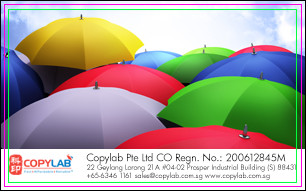
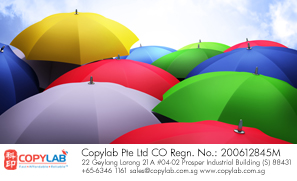
Bleed Area, Trim Size and Safe Area |
||||
 |
 |
|||
Final Artwork
|
Final Product
|
|||
 |
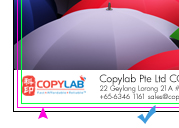 |
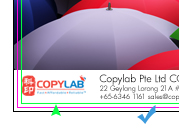 |
||
Bleed Area: |
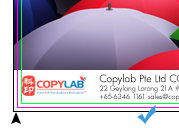
Trim Marks: |
Safe Area: |
||
| Incorrect! | ||||
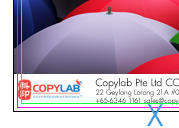 |
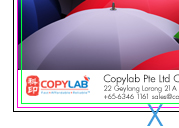 |
|||
| 1. The image is just extended to the trim line, but does not bleed to the edge. White border may show at the edge of your final product. | 2. This content of the logo is out from the safe area and may be cut off after the green line. |
|||
Color Mode and Image |
|||
| • Full Colour Printing uses CMYK colours mode instead of RGB to achieve the images quality. | |||
| • Convert your images from RGB to CMYK colours using graphic editing software such as Adobe Photoshop. | |||
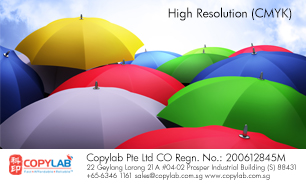
| • The image displays on monitor usually only have about 72dpi to 116dpi. However the best quality of print image is 300dpi. | |||
| • In printing term, to view your print resolution of your image, zoom in up to 100%-150% from your screen. | |||
What is CMYK, Pantone and RGB? CMYK - Cyan, Magenta, Yellow and key (black). The CMYK process is a method of printing colour by using four inks — cyan, magenta, yellow, and black. PMS - Pantone Matching System RGB - Red, Green and Blue What is Resolution and dpi for Image? |
|||
 |
 |
||
About Vector Images About jpg, psd Images |
|||
File Format |
| .ai | Vector graphic file created from Adobe Illustrator |
| .jpg or .jpeg | Format for photographic image compression. |
| .psd | Bitmap file created using Adobe Photoshop |
| Portable Document File from Adobe Acrobat |